One box writes, searches, asks, and does.
You don’t pick a mode. The app works out what you mean, and the button says what it will do — save a note, put it on the calendar, ask your notes, apply to “Dentist”. When the app needs one more thing, it asks for that one thing and nothing else.
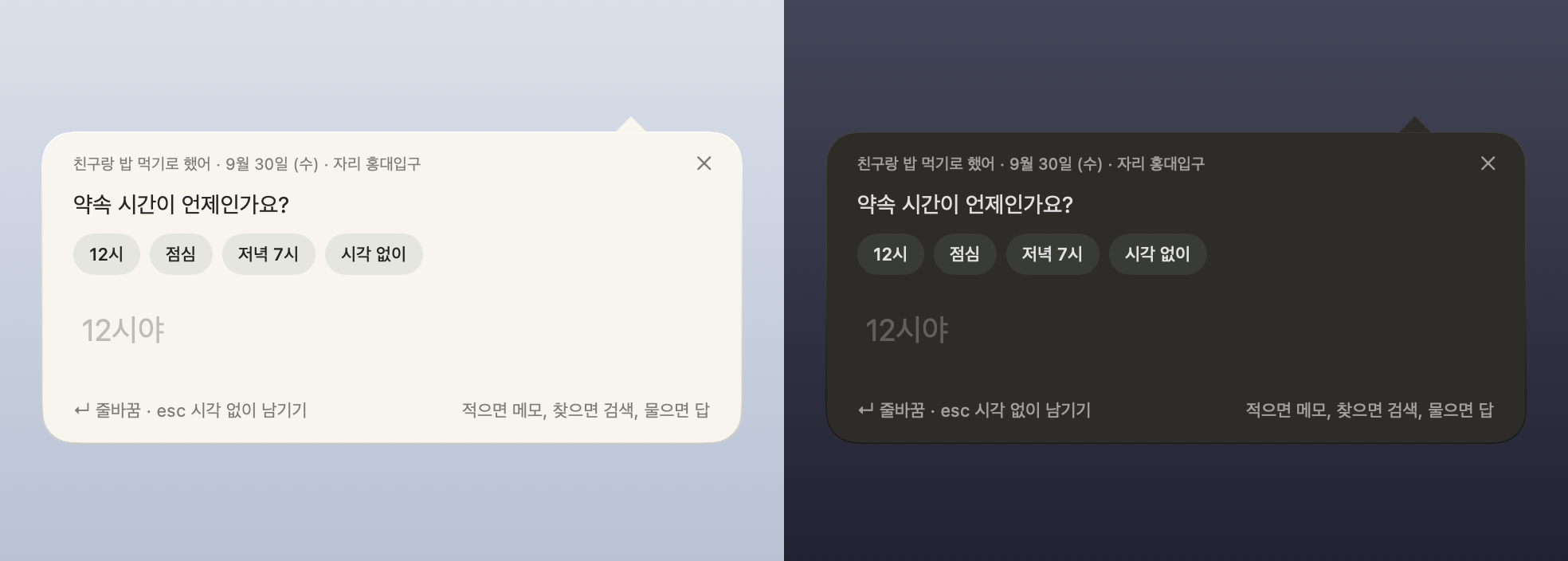

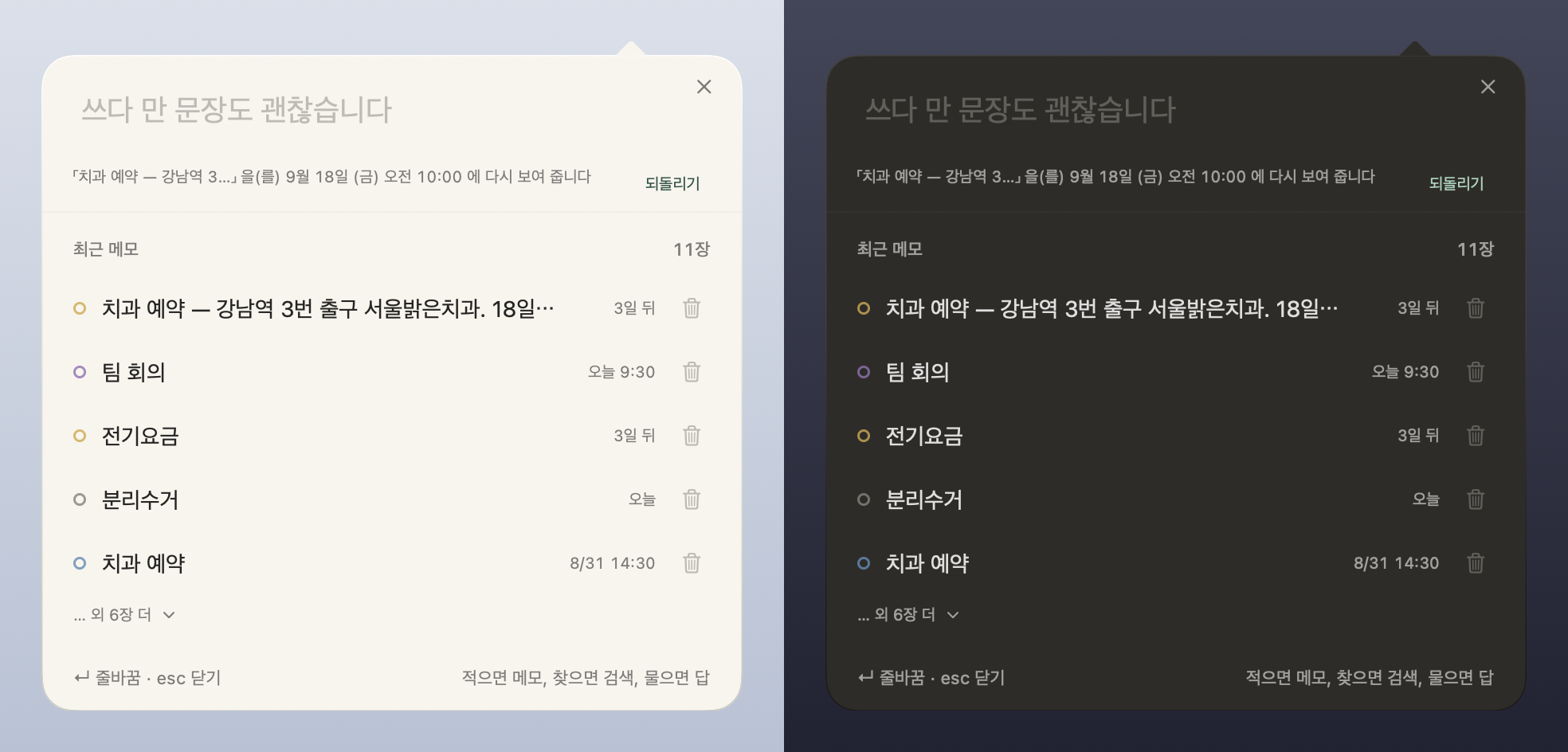
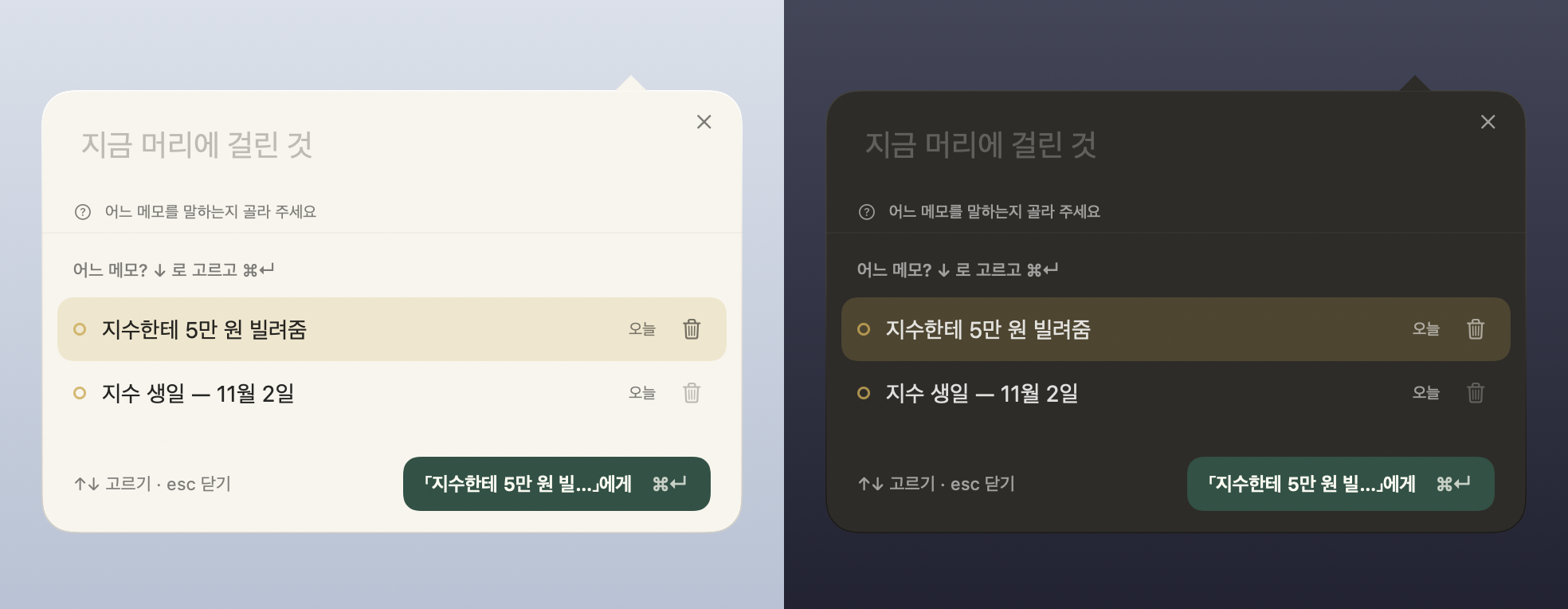
The model is loaded only when you ask. Requests that name a time and an action — “remind me Friday at 10” — are read by the app’s own parser and work instantly without any model. The model used for questions (Gemma 4 E2B, 2.6 GB) is downloaded once, when you want it, and runs on this device without the internet.
One lap — write, recall, tuck away, come back.
- Write One line into ⌥⌘N. If a date is read, a chip appears and the calendar takes over.
- Recall Right-click the paper to set when to see it again. The event itself stays put.
- Drawer Papers fly into the corner tab; open it, sort into folders, take them back out.
- Come back When the time comes, the paper rises to the desktop on its own and stays.
A screen recording of the real app. The app moved its own hands; every window is real. The recording is in Korean.
The same notes, on your phone.
The iPhone app reads the same Markdown files through iCloud — no account of ours, no sync to set up. Jot it down, decide when to see it again, and the phone brings it back. “Tell this note” is on the phone too, and requests that need no model work without one there as well.
- Write The app reads the date; one tap puts it on the calendar.
- Recall The bell on a note — in an hour, tomorrow morning, whenever.
- Now What’s coming up sits at the top. “Seen” puts it down.
- Banner Turn notifications on once. Tap the banner and that note opens.
Recorded in the iOS simulator with the app moving its own hands. The iPhone app is in App Store review. A button appears here when it’s out. The iPhone app is on the App Store.
Why it looks like this.
It assumes you are lazy. So it keeps four promises.
It never asks you to finish
Half-written, untitled, undated — here that is the normal state. No blanks waiting to be filled, no save button to forget.
Time is the only structure
Paper on the desktop doesn’t ask for a category. The calendar is a thing you handle — drag an event to another day, tap once to postpone. Folders exist only inside the drawer, after you’ve put things away.
Old things step back on their own
Fully checked lists and past events quietly move to the drawer. Not deleted — open the drawer and they’re there, and one click brings them all back.
The app stays out of the way
A resting note is just paper and words. Controls appear over the content when the pointer arrives and leave with it. Nothing in the Dock, nothing in the app switcher.
Paper on the desktop, a calendar you handle.
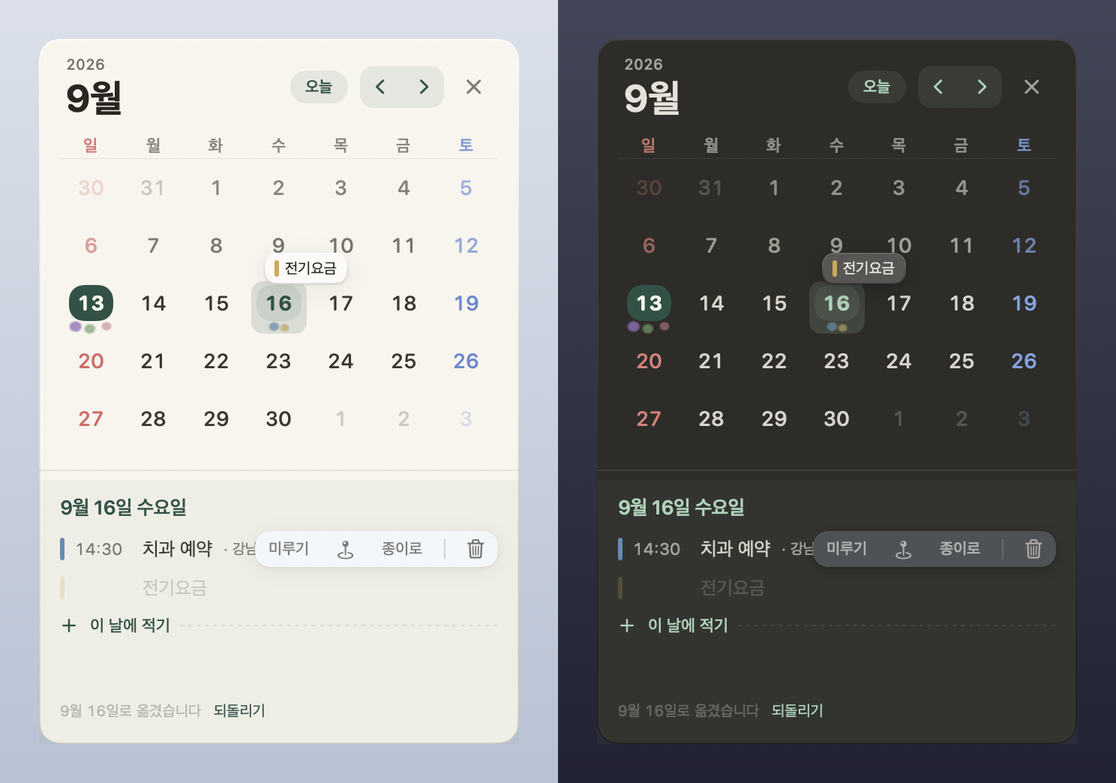
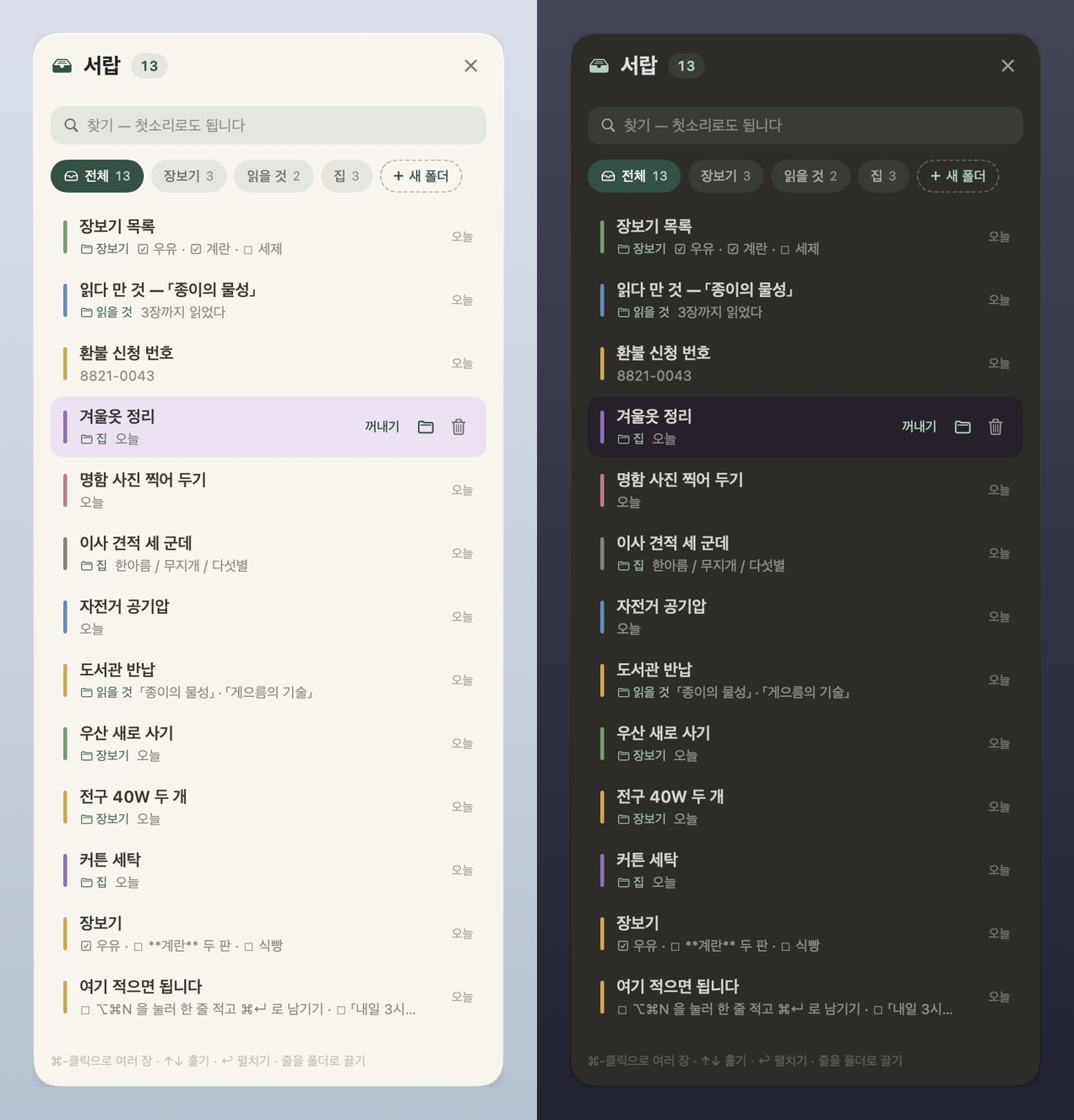
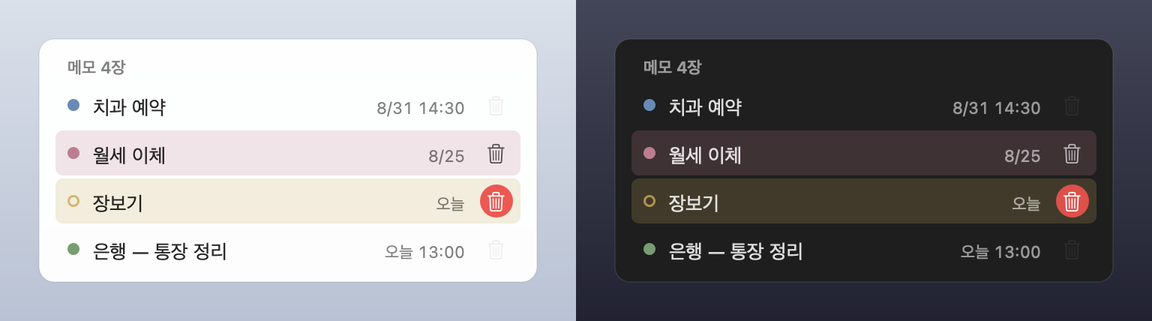
Recall — it comes back when you need it.
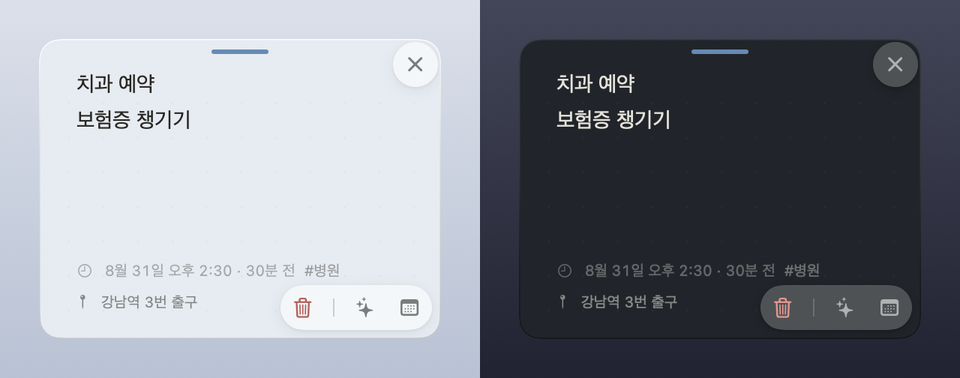
Jot it down and decide only when to see it again. Right-click the paper and choose “Recall…” (the bell on the phone), or just tell the box: “remind me Friday at 10”. The event stays where it is — the meeting at 3, the recall at 2:30. At that time the Mac brings the paper forward and the phone lifts it into “Now”.
System notifications only on devices where you turn them on. Enable “Notify on this device” and it asks permission once; after that, event times and recall times notify you, and tapping opens the note. It never invents a morning alert for a date-only note, and never schedules deleted or tucked-away notes. There is no server, so notifications are not promised to sync between devices.
How to use it.
| ⌥⌘N | Quick input. A bubble under the menu bar icon. Write a note, search, ask, or tell it what to do. Searches by initial consonants too. |
| ⌘⏎ | Done. The button’s label says what happens. ⏎ is a new line — notes aren’t one line long. |
| ⌥⌘V | Clipboard to note. What you copied — text or a picture — becomes a new paper without opening anything. |
| esc | Close. The box remembers what you were writing, even across restarts. In the middle of a follow-up question, esc saves the draft without a time. |
| × on a note | Into the drawer. Not delete. Right-click to pick a folder, or “Tell this note…” to open the box for it. |
| Red trash | Delete. The paper stays put holding Undo for 8 seconds, and stays restorable for 30 days. |
| Calendar icon | Puts an undated note on the calendar. If it already has a date, shows where that event sits. |
Finished things step back on their own. A fully checked list three days after you last touched it, a past event once the next day ends — both leave the desktop for the drawer. They stay in the files, in search, and in the calendar. Pinned notes are never moved.
Notes are files.
Delete lazymemo and your notes remain. The source of truth is Markdown files on your computer; open them in Finder or edit them in any other editor.
~/Documents/lazymemo/
  notes/2026/09/01K3ZQ….md   ← the note. Date, place and folder are a few lines inside
  .trash/                     ← deleted notes, kept 30 days
Menu → Settings → “Sync with iCloud…” moves this folder into “LazyMemo” in iCloud Drive, and the iPhone app reads the same folder.
The App Store edition starts there by default. Drop a .md file in with an iPhone Shortcut and the app picks it up.
Claude integration is optional.
The GitHub edition also builds an MCP server. Register it and you can say to Claude Desktop “book the dentist next Tuesday at 2 pm” or “put milk in the groceries folder”. No API key. lazymemo doesn’t call Claude; Claude calls lazymemo, so the cost is on your Claude subscription.
Because Claude can delete notes, there is no tool that deletes permanently. The code the MCP server can reach has no hard-delete function at all.
Delete means moving to .trash/, and restore is one call.
Asking and telling in the box are a different thing — that runs on this device’s own model, and it’s in the App Store edition too.
Privacy.
Note contents leave the device in exactly two ways — your iCloud (when you turn it on in Settings; Apple moves and stores it) and the GitHub edition’s Claude integration (when you register it yourself). Asking and telling in the box run on the on-device model, so nothing goes anywhere. There is no server of ours and nothing comes to us — no analytics, no trackers, no crash reporter.
Everything else that leaves is a single address or coordinate — the URL when a link unfurls into a card, the coordinate a place card asks Apple Maps about, the model file when you download it, the address the GitHub edition checks for a new version. All of it only when you tap or unless you turn it off. Every one of these is written down in the privacy policy.
This page keeps the same promise. Not a single outgoing request — no trackers, no web fonts; the videos and pictures come from the same place as the page. The deploy workflow actually checks that before publishing.
Get it.
Mac — App Storein review
The path for most people. Apple signs it, it runs in the sandbox, and the store handles updates. The notes folder defaults to “LazyMemo” in iCloud Drive — the same place the iPhone uses. Claude integration isn’t in this edition.
iPhone — App Storein review
Open it and the keyboard is up. Type a line, tap “Keep”, the app reads the date. Share “Write to lazymemo” from any app, and the Mac sees the same files through iCloud.
GitHub edition — if you want the Claude integration
Homebrew
Two lines. After that the app tells you about updates itself. The Claude integration and self-update are only in this edition.
brew tap bunhine0452/lazymemo
brew install --cask lazymemo
Build from source
Builds without Xcode — the Command Line Tools are enough. If you read and write code, this is the most honest path.
git clone https://github.com/bunhine0452/lazymemo
cd lazymemo
./scripts/build-app.sh
The GitHub edition is not notarized yet. A downloaded app gets the quarantine flag, and from macOS 15 a flagged, un-notarized app simply ends with “is damaged”. So the cask removes that flag right after install — a stopgap. If that doesn’t sit right with you, use the App Store edition or build from source; an app you built yourself never gets the flag.